EST. 2006
1:56:07 PM UTC
back
Building a visual AI automation system, Orchastra that enables parallel workflows without engineering complexity, without writing a single line of code
Role
Product Designer
Duration
2 Months
Industries
AI Agents
Automation
No-Code
View Prototype
product overview
Neoweave is a Web3 platform that connects open-source contributors with maintainers by turning GitHub issues into crypto-backed bounties, enabling developers to earn cryptocurrency when they solve real tasks on repositories they love. It provides a unified dashboard for discovering, filtering, and engaging with projects, tracking contributions, and claiming rewards — all within an intuitive interface tailored for modern developers
problem statement
As AI tools and agents multiply, building reliable workflows requires technical expertise, scripting, and constant iteration. Non-technical users struggle to orchestrate multi-step or parallel AI processes, while teams face friction in visualizing logic, debugging flows, and scaling automation. Existing tools either oversimplify capabilities or become too technical, limiting adoption and experimentation.
solution
design & implementation
working directly with the leadership, I have focused on creating solutions that balanced user needs with business objectives and brand values.
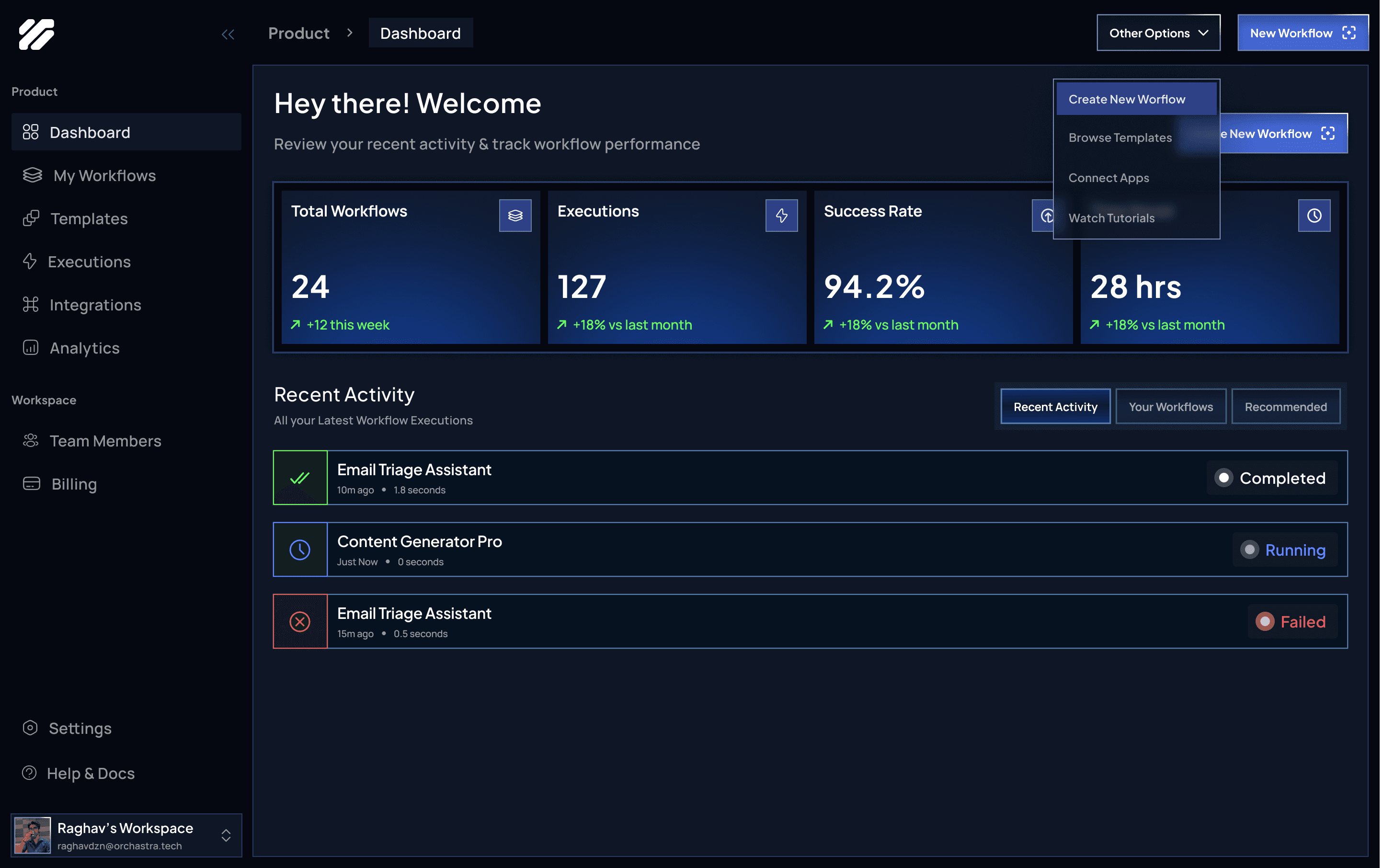
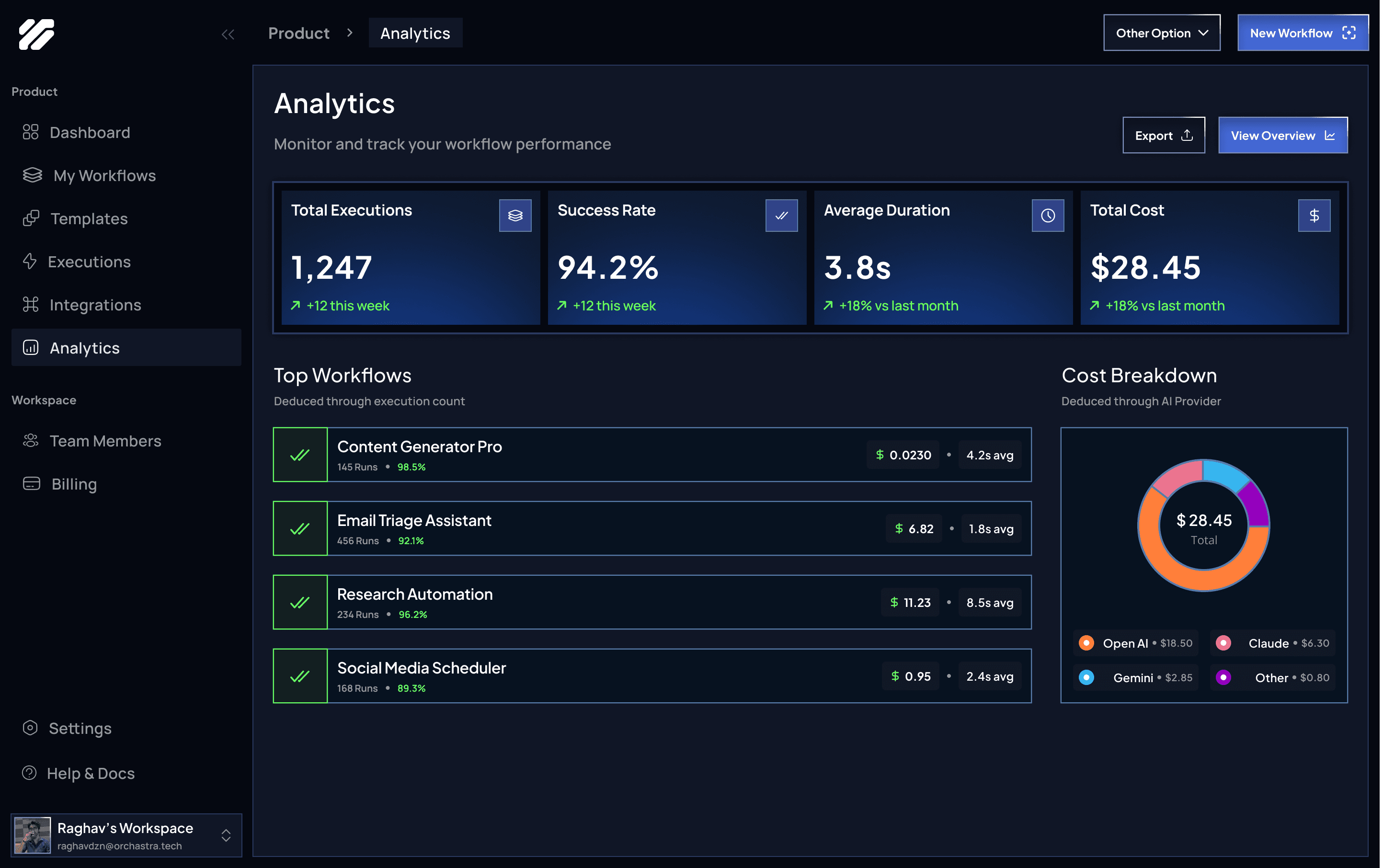
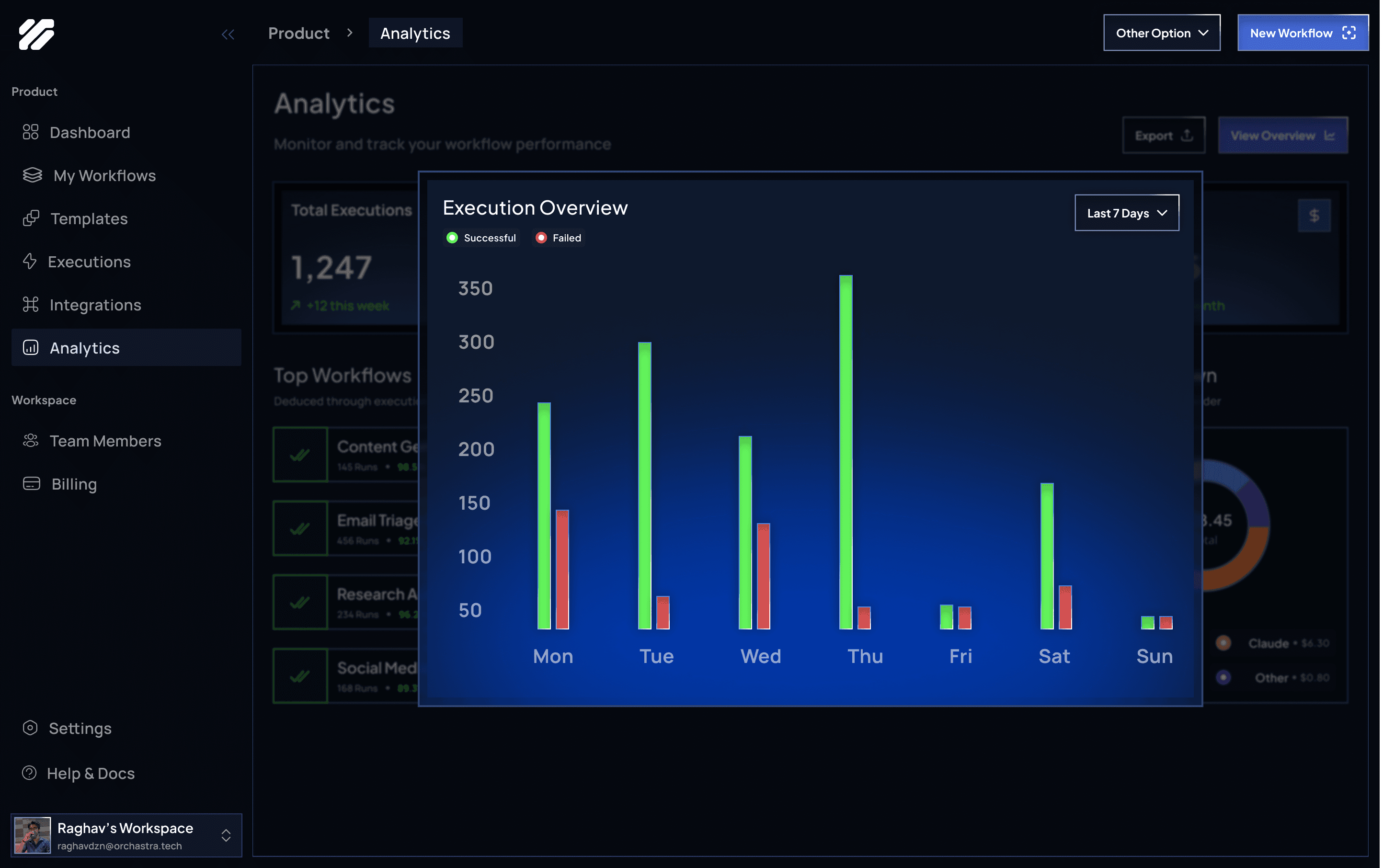
Monitor and Optimize Your AI Workflows
Track performance, executions, and impact across all your workflows in one centralized dashboard.
Overview
Get a high-level snapshot of workflow health, success rates, and time saved to quickly understand overall performance.
Recent Activity
View the latest workflow runs, statuses, and outcomes to monitor progress and catch failures early.
Workflow Metrics
Measure executions, success rates, and efficiency gains with clear, real-time analytics.
Workflows
Automation
AI
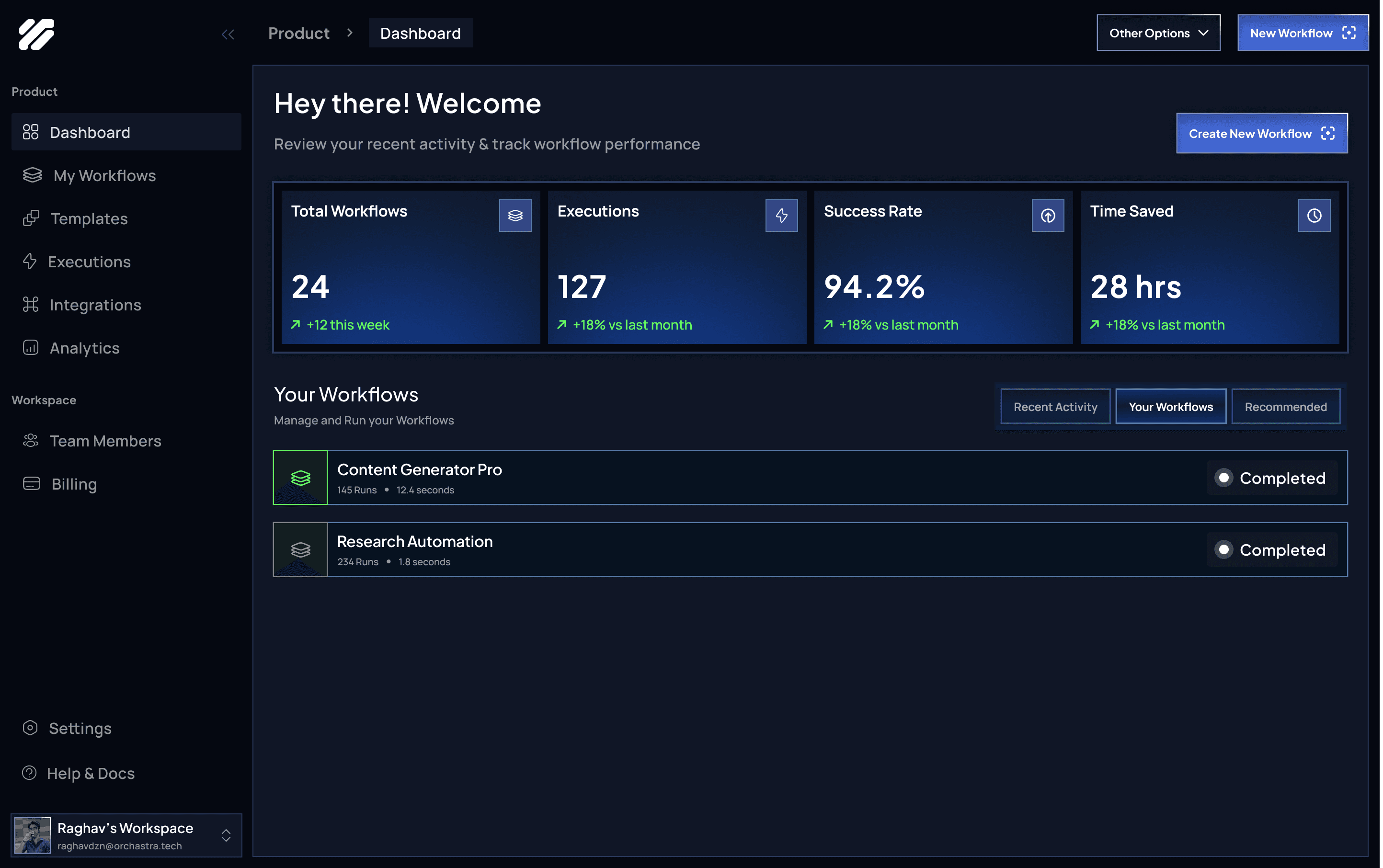
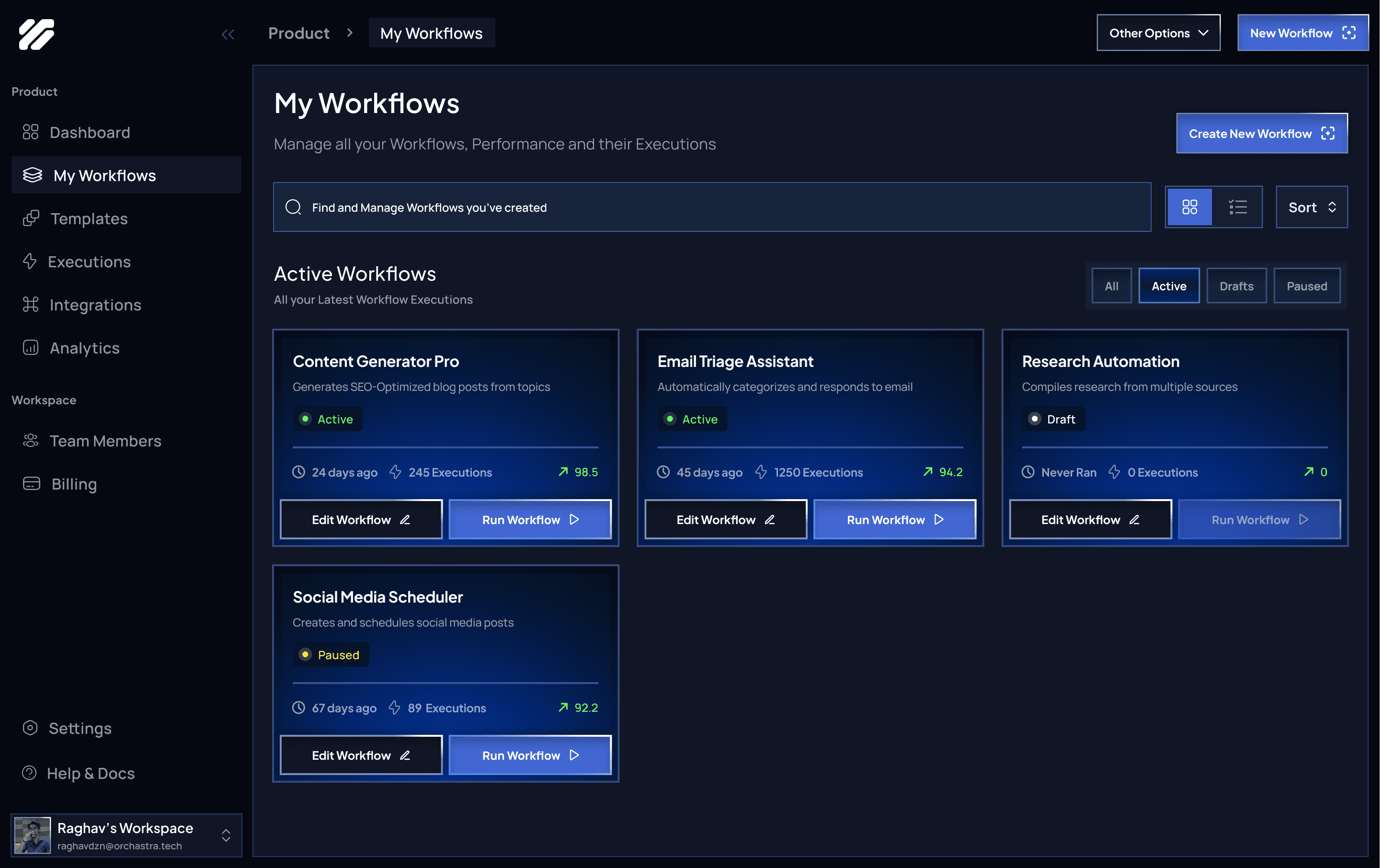
Manage and Control All Your Workflows
Create, organize, and run your AI workflows from a single, streamlined workspace.
Active Workflows
View all running, paused, and draft workflows with clear status indicators and quick actions.
Workflow Actions
Edit, run, or pause workflows instantly to iterate faster and stay in control.
Performance Snapshot
See executions, success rates, and recent activity at a glance for each workflow.
Workflows
Productivity
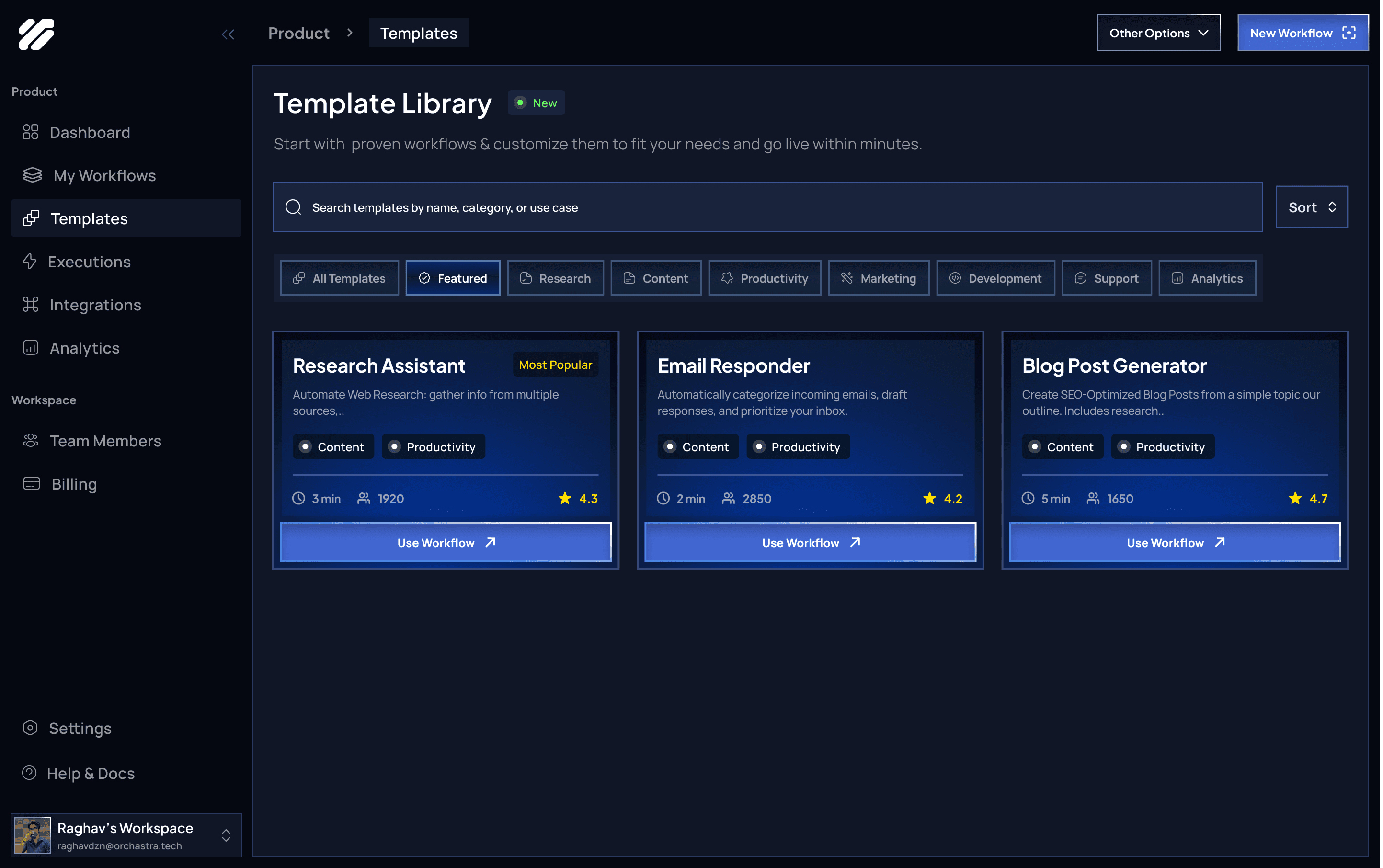
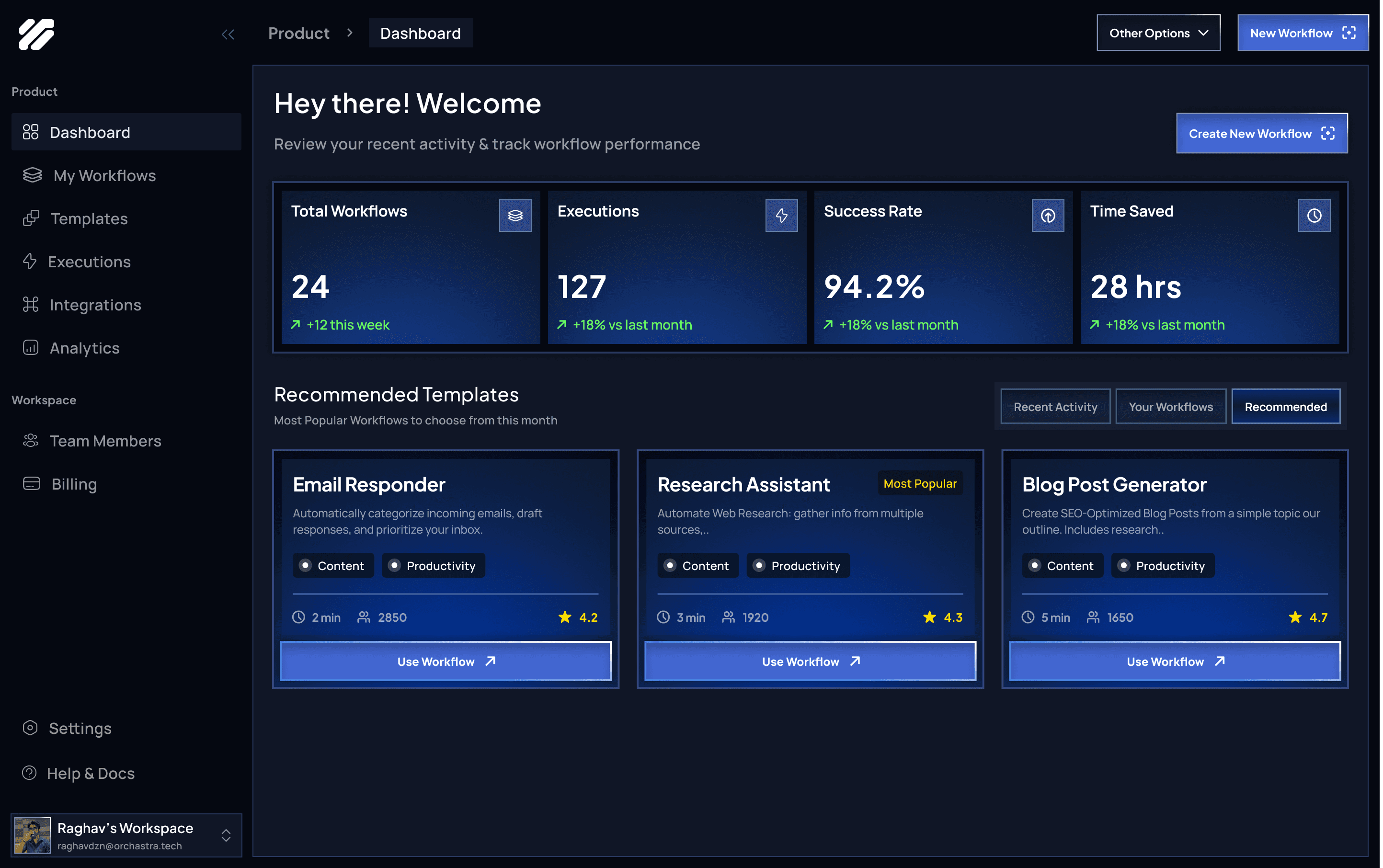
Start Faster with Proven AI Workflows
Browse ready-to-use templates and customize them to launch powerful AI workflows in minutes.
Curated Templates
Access pre-built workflows across research, content, productivity, marketing, and development use cases.
Quick Customization
Adapt templates to your needs with minimal setup, without building workflows from scratch.
Use & Scale
Deploy templates instantly and scale them as your workflow requirements grow.
Templates
AI-Workflows
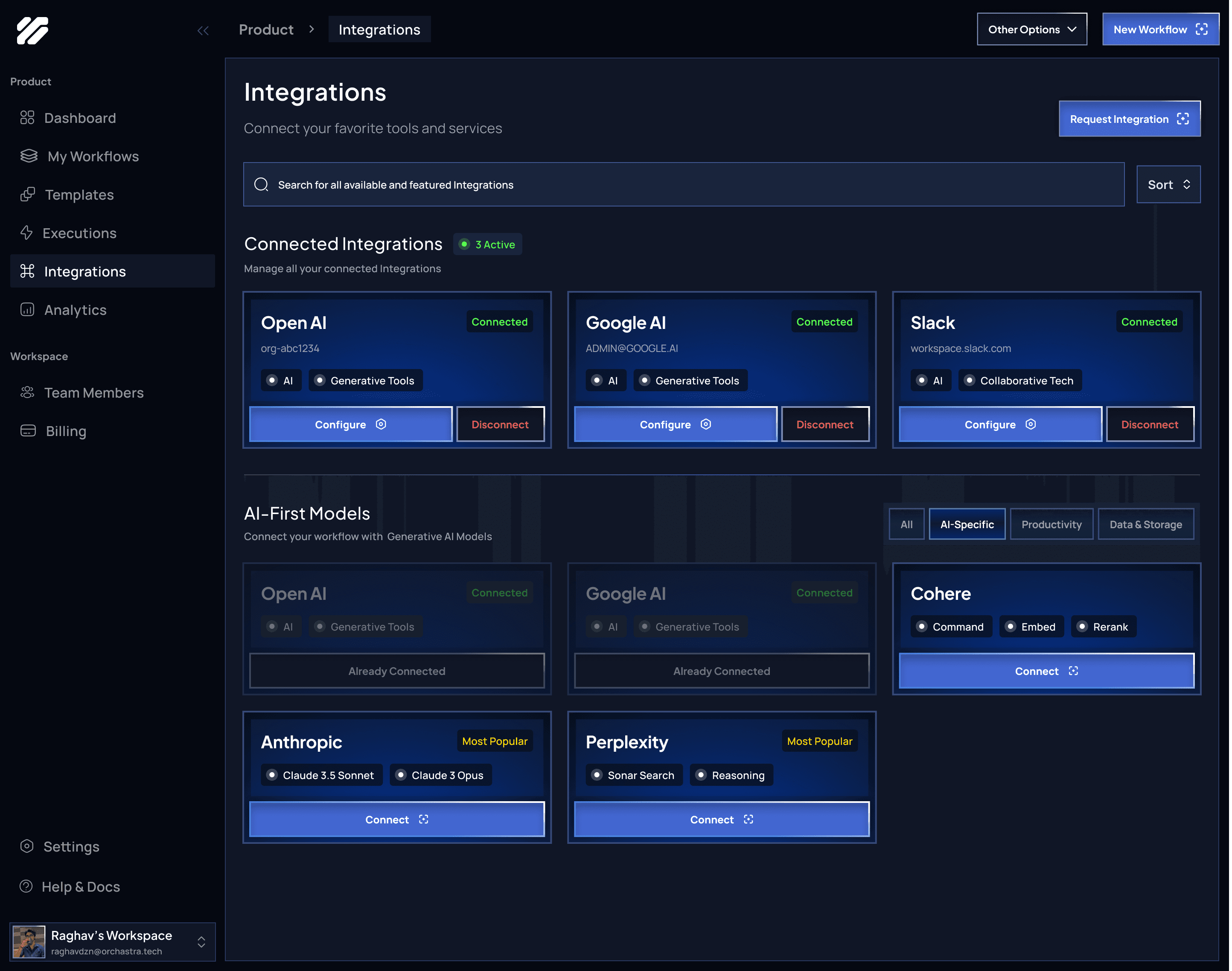
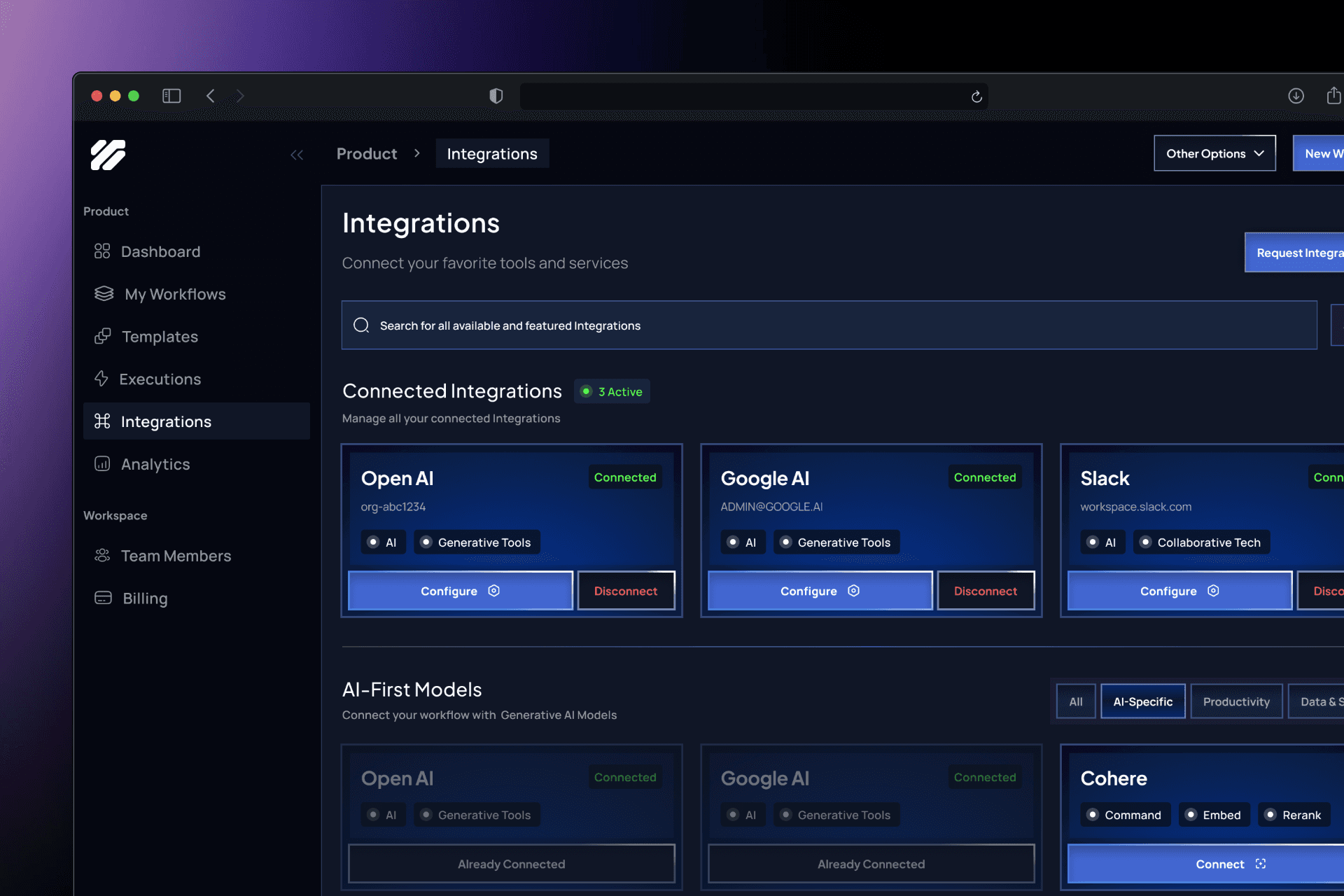
Connect Your Tools Into One Intelligent System
Integrate your favorite AI models and services to power end-to-end workflows seamlessly.
Connected Integrations
Manage active connections to tools like OpenAI, Google AI, Slack, and more from a single place.
AI-First Models
Choose and switch between leading AI providers to fit different workflow needs.
Easy Configuration
Connect, configure, or disconnect integrations with clear actions and minimal setup.
Integrations
Connectivity
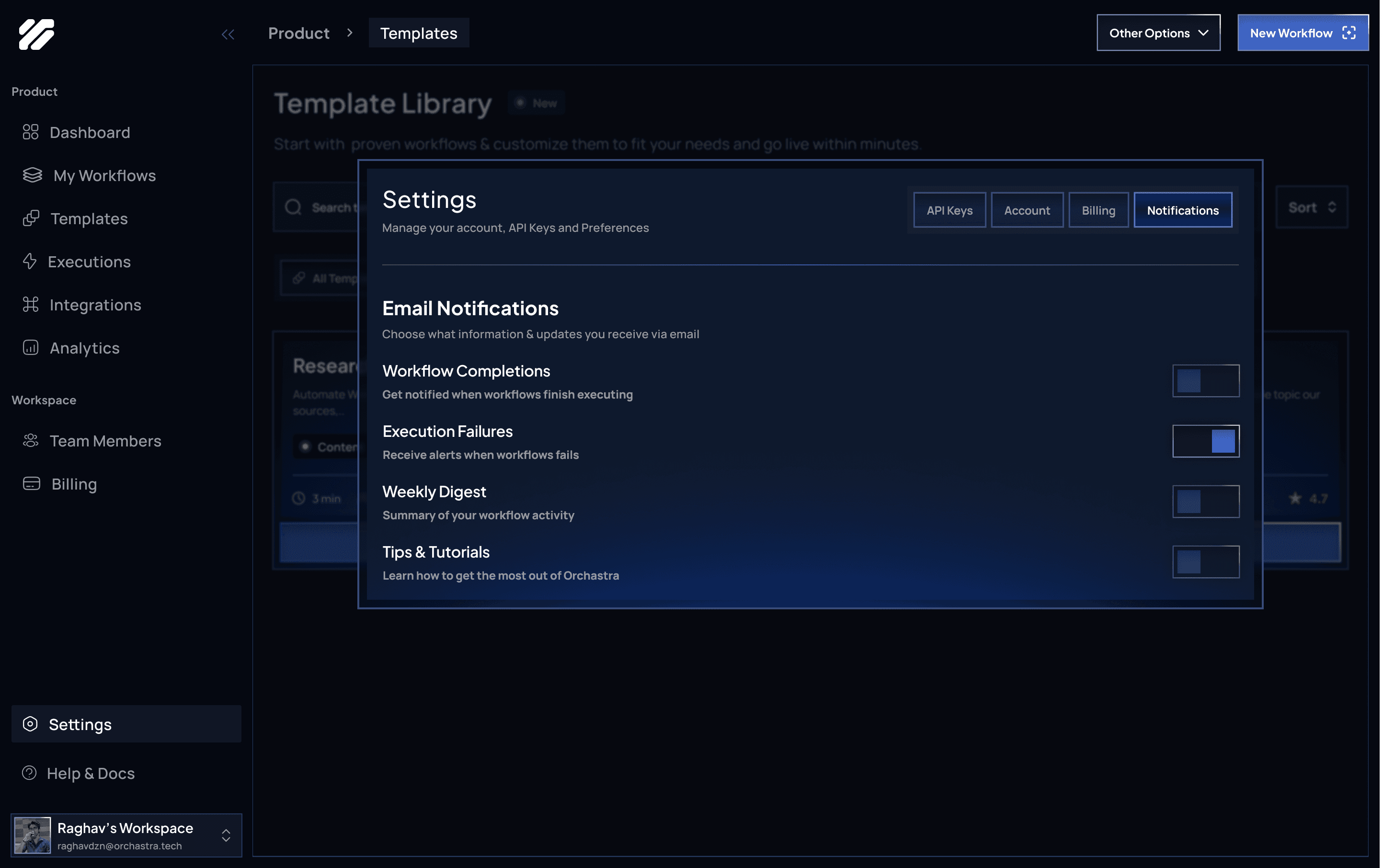
other shots
Faster Workflow Adoption
Templates, integrations, and clear dashboards reduced the time required to build and launch AI workflows.
Improved Visibility & Control
Real-time metrics, execution states, and connected tools gave users confidence in workflow performance.
Lower Technical Barrier
Visual orchestration and no-code patterns enabled non-technical users to work with advanced AI systems.
Scalable Automation Foundation
A modular system allowed workflows to grow in complexity without increasing cognitive load.
Clarity Drives Trust
Users rely on transparency in execution status, metrics, and integrations when working with AI automation.
Design for Iteration
Fast edit–run–observe loops are essential for AI workflow experimentation.
Systems Thinking Is Critical
Every screen must support and reinforce a single mental model across the platform.